
Flipper One – we need your help [zhovner]

![Flipper One – we need your help [zhovner]](/content/images/size/w2000/2026/05/Frame-451.png)
We’re finally ready to talk about Flipper One. We've been grinding on it for years now. The project has been rebuilt from scratch several times along the way, and we're at last ready to go public and tell the whole story straight.
Flipper One is an incredibly hard project, both economically and technically. And we'll be honest with you: we're scared, and we need your help.
With Flipper One, we’ve set ourselves a whole list of ambitious goals:
- Build the most open and well-documented ARM computer in the world, with full mainline Linux kernel support.
- Push vendors to open up their existing closed-source code and get rid of binary blobs entirely.
- Create an unusual hardware platform based on a co-processor architecture, combining a microcontroller and a CPU — and port a lot of low-level MCU code.
- Rethink how people use Linux and develop our own GUI framework with wrappers around existing CLI utilities.
Many of these goals come with a lot of uncertainty, and that is scary. But we believe this is the only way to make a truly meaningful contribution. TL;DR Мы решили полностью открыть процесс разработки и просим сообщество нам помочь.
What is Flipper One?
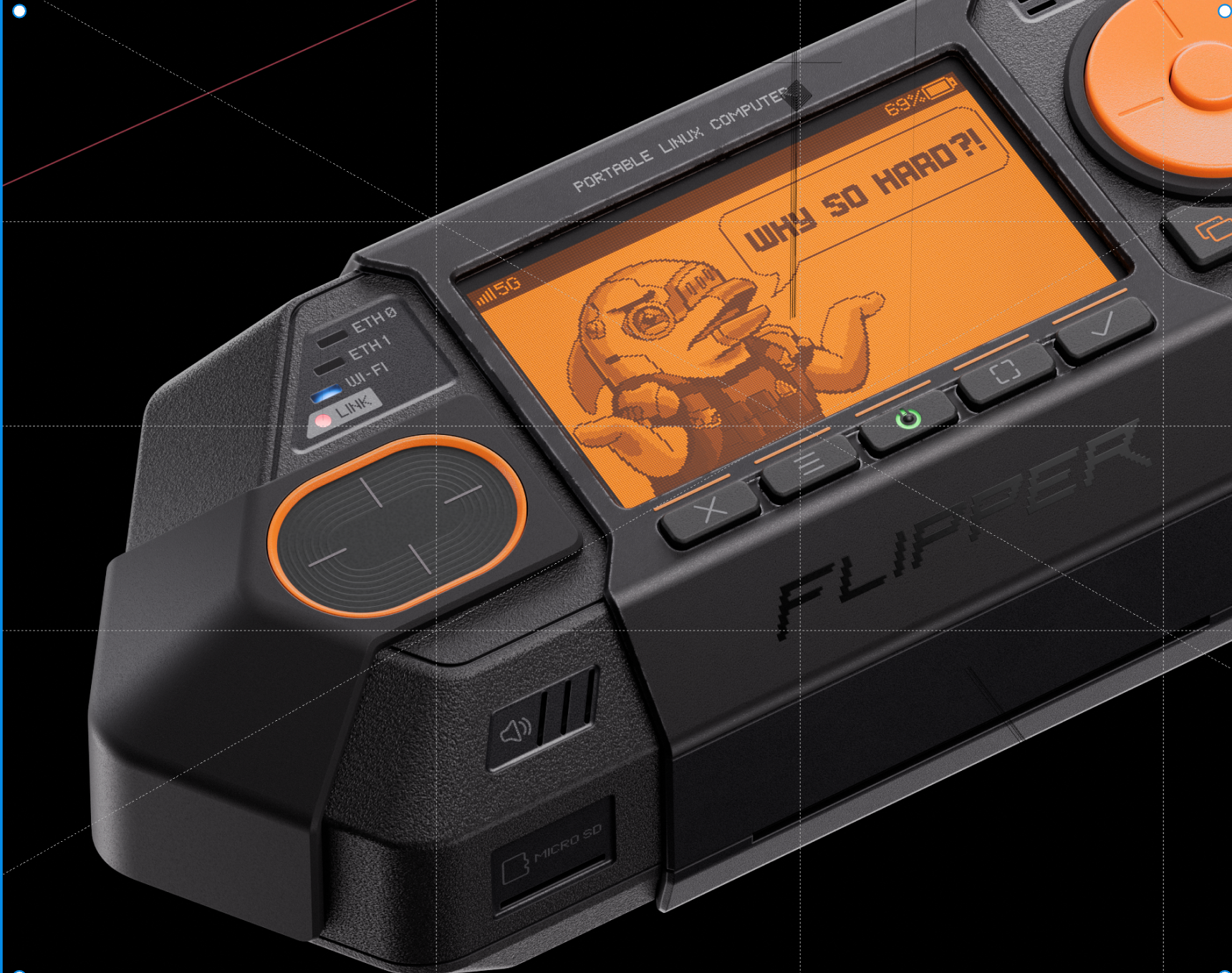
Flipper One — это не апгрейд Flipper Zero, а полностью другой проект с другими задачами. Главным образом это открытая Linux платформа из которой можно построить что угодно, от IP network analyzer с поддержкой 5G cellular до local AI анализатора радио сигналов c SDR.
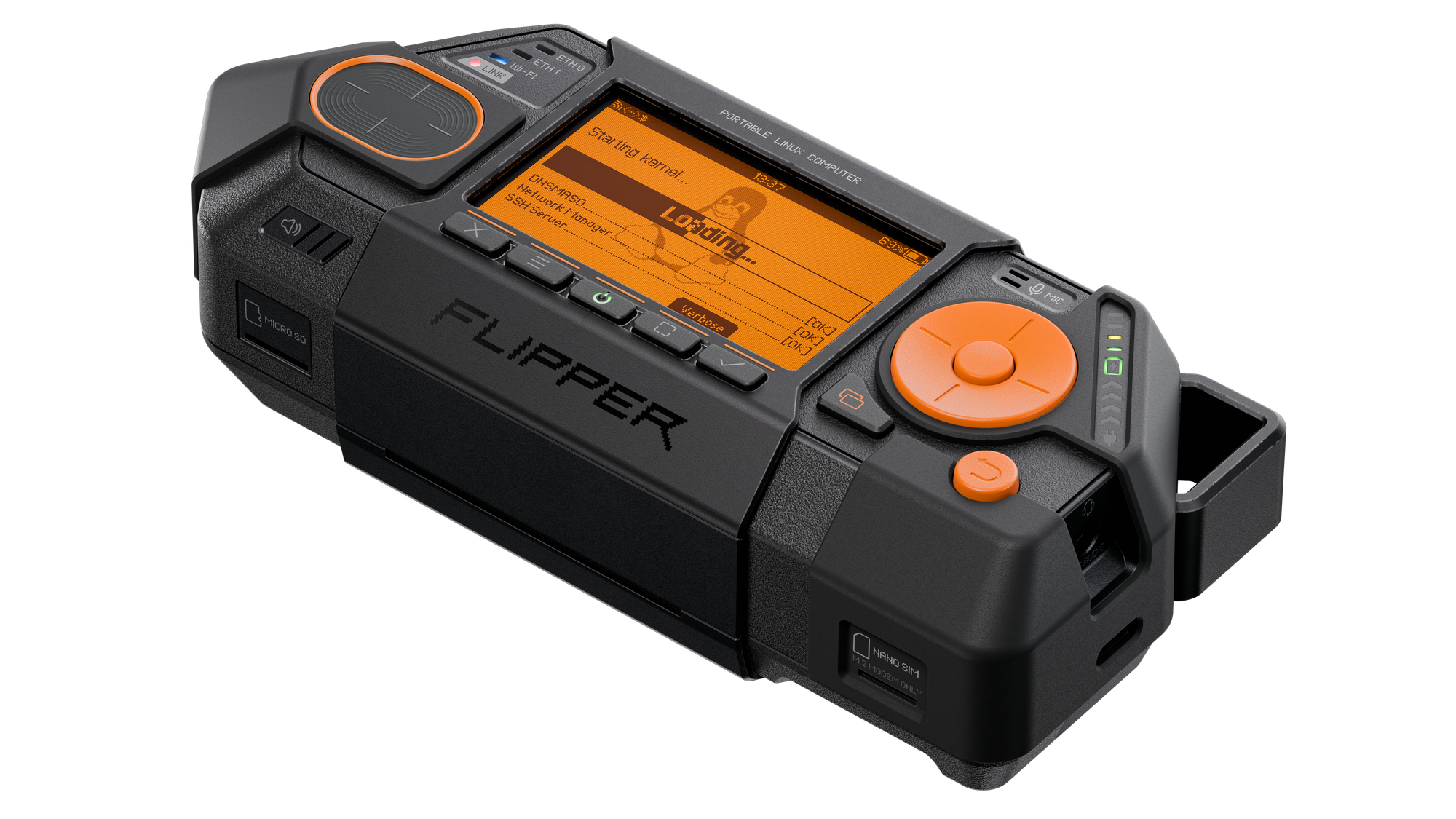
Мы уделили большое внимание системе модулей — внутрь флиппер ван можно встраивать высокопроизводительные и высокоскортные модули с интерфейсами PCI Express, USB 3.0, SATA. В нем встроены сетевые интерфейсы 2x Gigabit Ethernet + USB Ethernet 5Gbps, Wi-Fi 6E с частотами 2,4 / 5 / 6 GHz, модуль 5G cellular modem через M.2 модуль.
Zero vs One
Flipper Zero и Flipper One это абсолютно разные проэкты для разных задач, проще всего об этом думать как о сетевых уровнях:
- Layer 0 — Offline point-to-point access-control protocols: NFC, low-frequency RFID, Sub-1 GHz radio, Infrared, wired protocols like iButton, UART/SPI/I²C. Based on low-power microcontroller.
- Layer 1 — Everything that's IP-connected: Wi-Fi, Ethernet, 5G, Satellite. It's all about networking, data transfer and high perfomance computing. With a high perfomance computing достаточными для обработки SDR и local AI. И все это на основне мощного железа и открытой Linux toolkit.
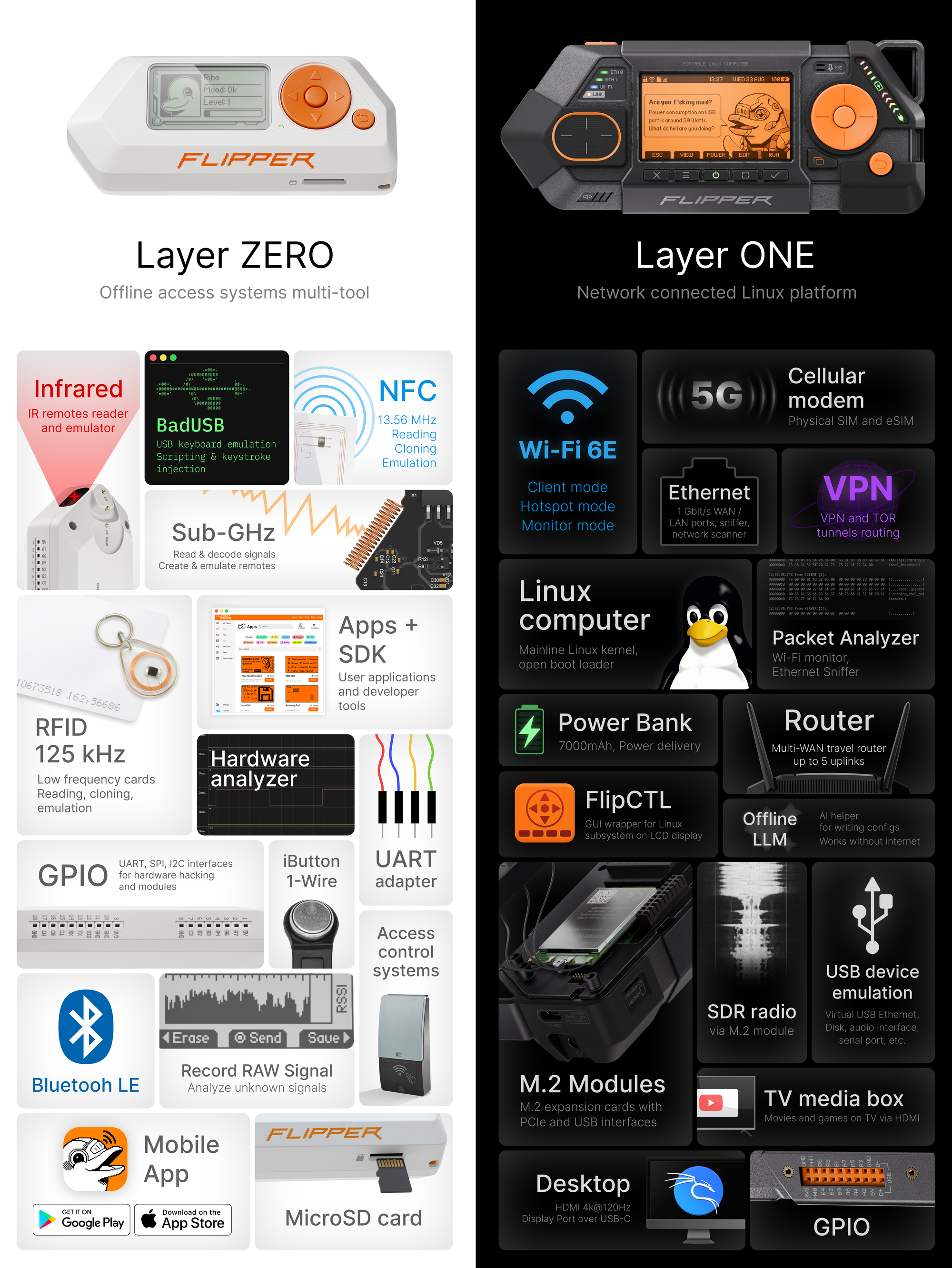
So they're not "newer" and "older" generations of the same thing. Flipper One не заменяет предыдущее устройство. They're different categories
Truly Open Linux platform
Мы хотим сделать по-настоящему открытую Linux платформу. Это значит, полная поддержка устройства mainline Linux ядром с самого первого дня и никаких бинарных блобов, proprietary drivers and vendor-specific SDK. Our goal is to create a fully upstream-supported ARM computer that never becomes outdated, and a well-documented platform giving the community maximum freedom to customize:
- Full mainline Linux kernel support
- No binary blobs
- No vendor-locked BSP
We say "truly open" because, the current situation of ARM Linux today is depressing. Every vendor bolts on their own custom mess: closed boot blobs, vendor-specific patches, "board support packages" that nobody outside the chip maker can really understand. You can no longer be a generalist who knows how computers work — you can only be a specialist in one specific chip, with one specific BSP. Мы сами устали от этого и не хотим присоединяться к этому злу и выпускать очередной продукт который только усиливает этот бардак.
To pull this off, we've partnered with Collabora team to push full support for our SoC Rockchip RK3576 into the mainline Linux kernel. Practically, this means you can download the kernel straight off kernel.org, with zero vendor patches, and run it on Flipper One.
We have partnered with the Collabora team, who are actively working on bringing the RK3576 SoC into the mainline kernel, to make Flipper One fully upstream-supported and free from binary blobs.
>> Read Collabora blog post
Current RK3576 mainline support is already in pretty good shape — all the major components are working. Right now we're focused on power management and USB DP Alt-mode support. Hardware video decoding and the NPU aren't fully working yet. And there's still one last binary blob left in the boot chain — the so-called DDR Trainer — the binary blob that initializes RAM during early boot
<BUBLE DOLPHIN>Мы просим сообщество помочь в мейнлайнинге RK3576, чтобы мы вместе смогли сделать по-настоящему открытую платформу, мы будем рады любому вкладку, не только коду. Например если вы сможете каким-то образом убедить Rockchip открыть последний бинарь, или вдруг вы сотрудник и знаете кому что сказать, или знаете кого-то кто может нам помочь в этом плане: <BUBLE DOLPHIN>
- RK3576 open source roadmap (link to docs) — read what we plan to do and how you can contribute
- Check open tasks
- Collabora RK3576 mainline status
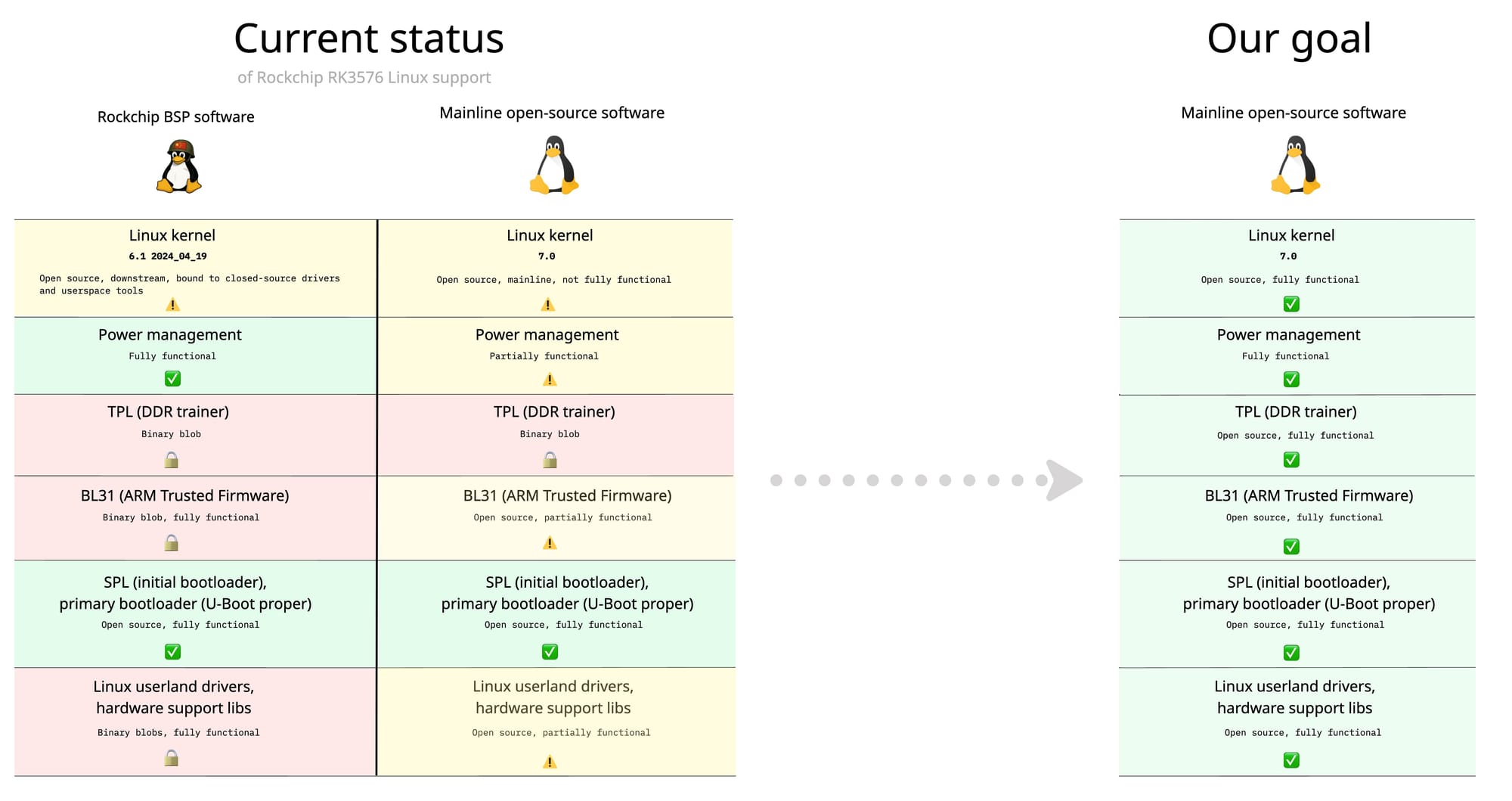
There are also drivers and accelerators that aren't fully upstream yet — the NPU, hardware video decoding, various other accelerators. We maintain a public table of what works in mainline and what doesn't, and we'd love help closing those gaps.
Developer Portal – lets build together
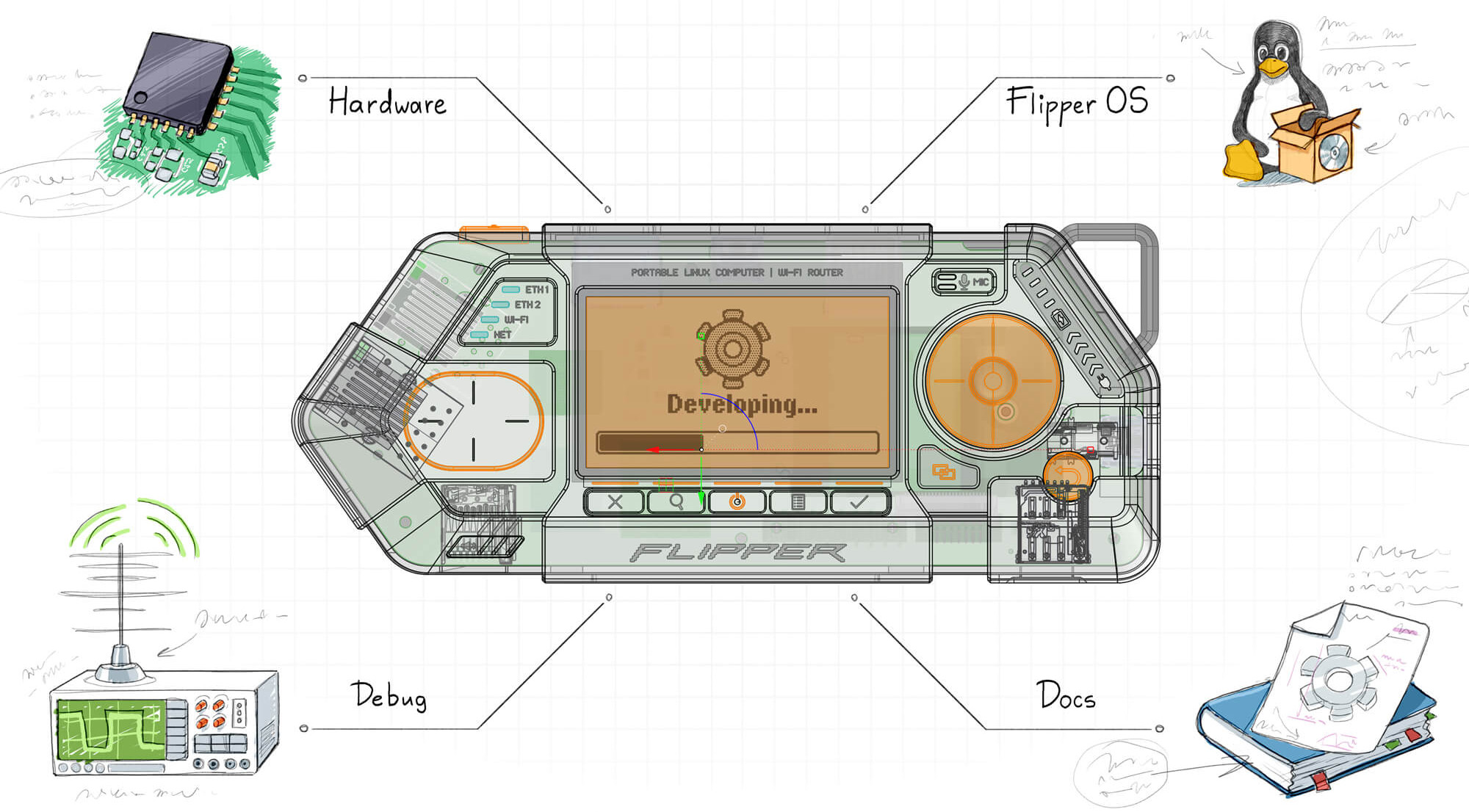
Openness has always been our thing. With Flipper One we want to go further: not just open source, but also open the deleopment process.
We're publishing our task trackers. Our internal discussions. The way we make decisions. The half-finished docs. The architectural debates. All the messy stuff companies usually keep behind closed doors.
Встречайте -> Flipper One Developer Portal
This is uncomfortable. We've never done it like this. There's a real instinct to hide the unfinished, the wrong turns, the arguments. But we believe the educational value of building openly is worth more than the polish of pretending it was easy.
What is Developer Portal?
Flipper One Developer Portal — это набор документации по каждому sub-projects, объеденному в общую публичную wiki that anyone can edit. Он описывает структуру всего проекта Flipper One и как внести свой вклад в каждую из подсистем проекта.
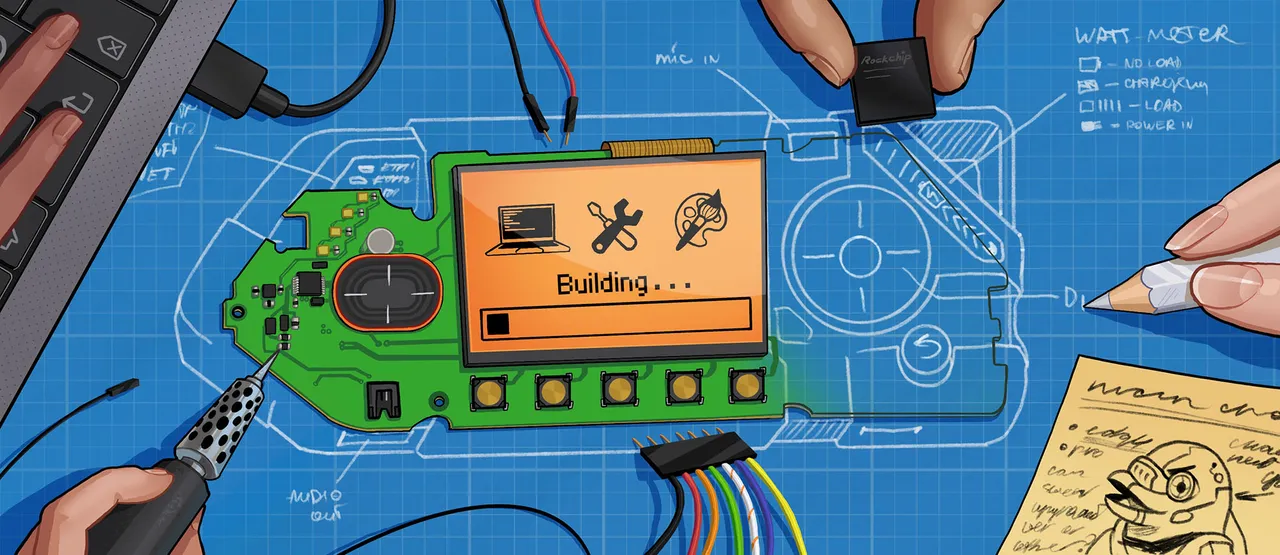
Флиппер Ван это огромный проект и его делают сразу несколько команд, отвечающих за разные части. Мы называем это саб-проектами:
- Железо — electrical hardware development. This is where the printed circuit boards (PCBs), antennas, and everything related to the electrical connections of chips, connectors, and processors are designed.
- Механика — mechanical and industrial design. This is where the enclosure, buttons, plastic and metal parts, and mounting components are designed. Everything the user physically interacts with.
- Linux (CPU Software) — linux kernel, modules, drivers, userspace, bootloader, Rockchip tools, etc. This is the largest and most complex sub-project, spanning many repositories. It contains the core software that users will interact with directly
- MCU Firmware — firmware for the RP2350 microcontroller. The MCU controls buttons, display, touchpad, and power subsystem, as well as co-processor communication between the MCU and CPU.
- User Interface — UI/UX development. This is where the user interface, visual communication of the device, all graphics, and visual design are developed.
- Docs — developer portal wiki, technical docs, guides, and datasheets. All documentation including Developer Portal itself, is developed here. It covers both the Flipper One product documentation and descriptions of development processes and contribution guides.
- Testing — tools for testing device subsystems and hardware validation. Includes various scripts and programs for testing power, networking, CPU, audio, graphics, etc. Also includes interface prototypes, demos, and test apps.
Мы так же ищем менеджера девелопер портала, который будет прокси между внутренней командой разработки и сообществом. Будет помогать оформлять девелопер портал и общаться с сообществом. Apply на вакансию Developer Portal & Community Manager
Co-processor architecture
Flipper One runs on two processors at once: tiny low-power MCU and high performance CPU. Эти процессоры работают одновременно и каждый управляет своей частью.
MCU is what makes the device полностью автономным. It manages the device even when Linux is off — so you can управлять устройством через LCD экран кнопками и конфигурировать процесс загрузки all without the main CPU running. This is что нам missing on most SBCs: when Linux is off, the device is dead. CPU выполняет сам Linux и отвечает за пользовательские приложения.
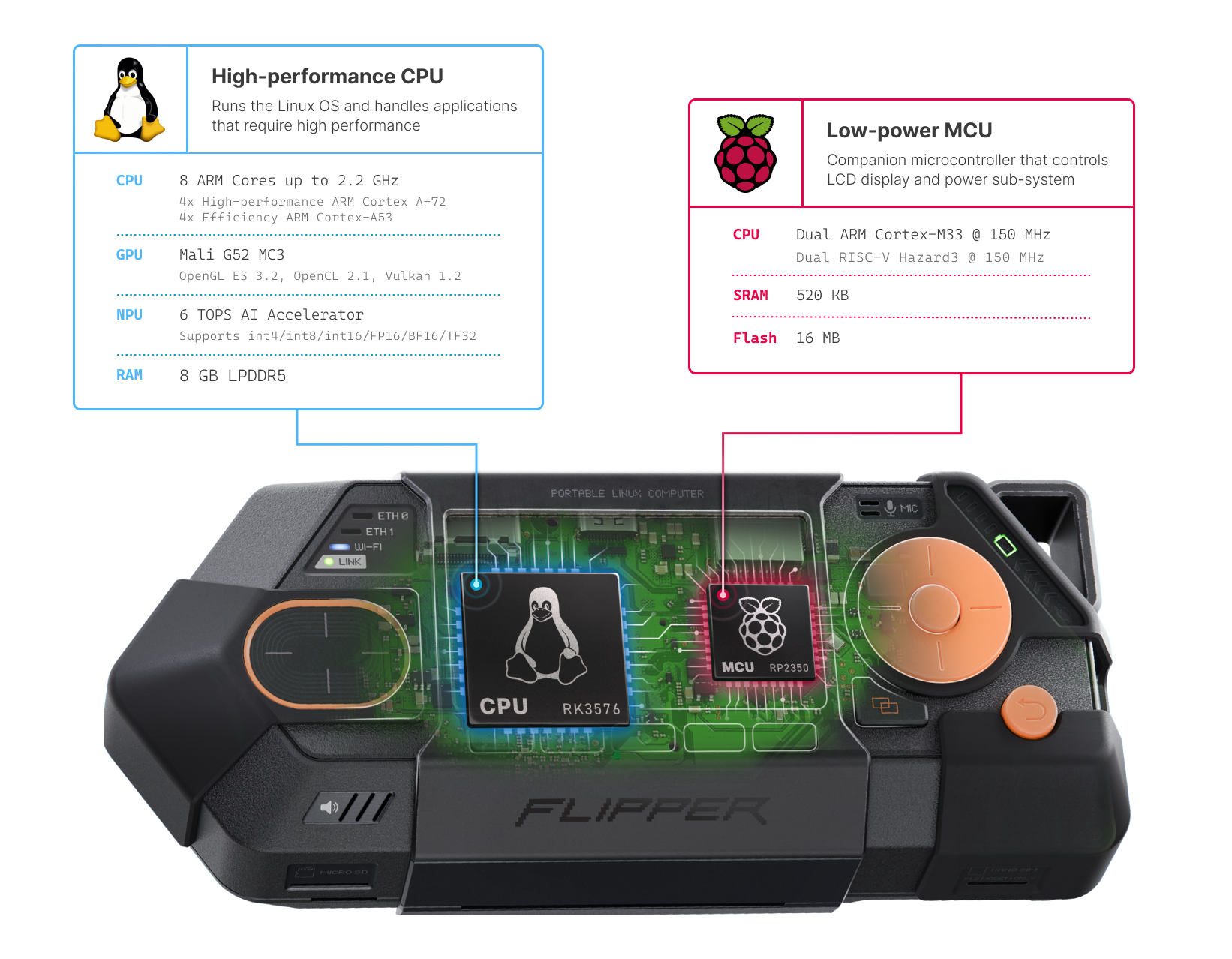
- Low-power MCU — Raspberry Pi
RP2350silicon that controls the display, buttons, touchpad, LEDs, and the power subsystem. Он имеет собственную прошивку MCU Firmware - High-performance CPU — the 8-core
RK3576that runs Linux, with Mali G52 GPU, 8 GB for RAM and NPU for running LLMs and other models locally. Он выполняет несколько программных словев описанных в CPU Software
MCU ↔ CPU Interconnect
The two processors talk to each other over a set of interfaces we call the Interconnect protocol: SPI carries the framebuffer to the display, I²C carries button and touchpad events, plus UART and a few GPIO lines for boot control. This is a non-trivial architecture. We pl to land the display driver and input drivers in the Linux kernel cleanly, without resorting to out-of-tree vendor hacks. We'd love for the kernel community to review this design, push back on it, and help us upstream it the right way.
Flipper OS + FlipCTL
Как мы решили перепридумать использование Linux
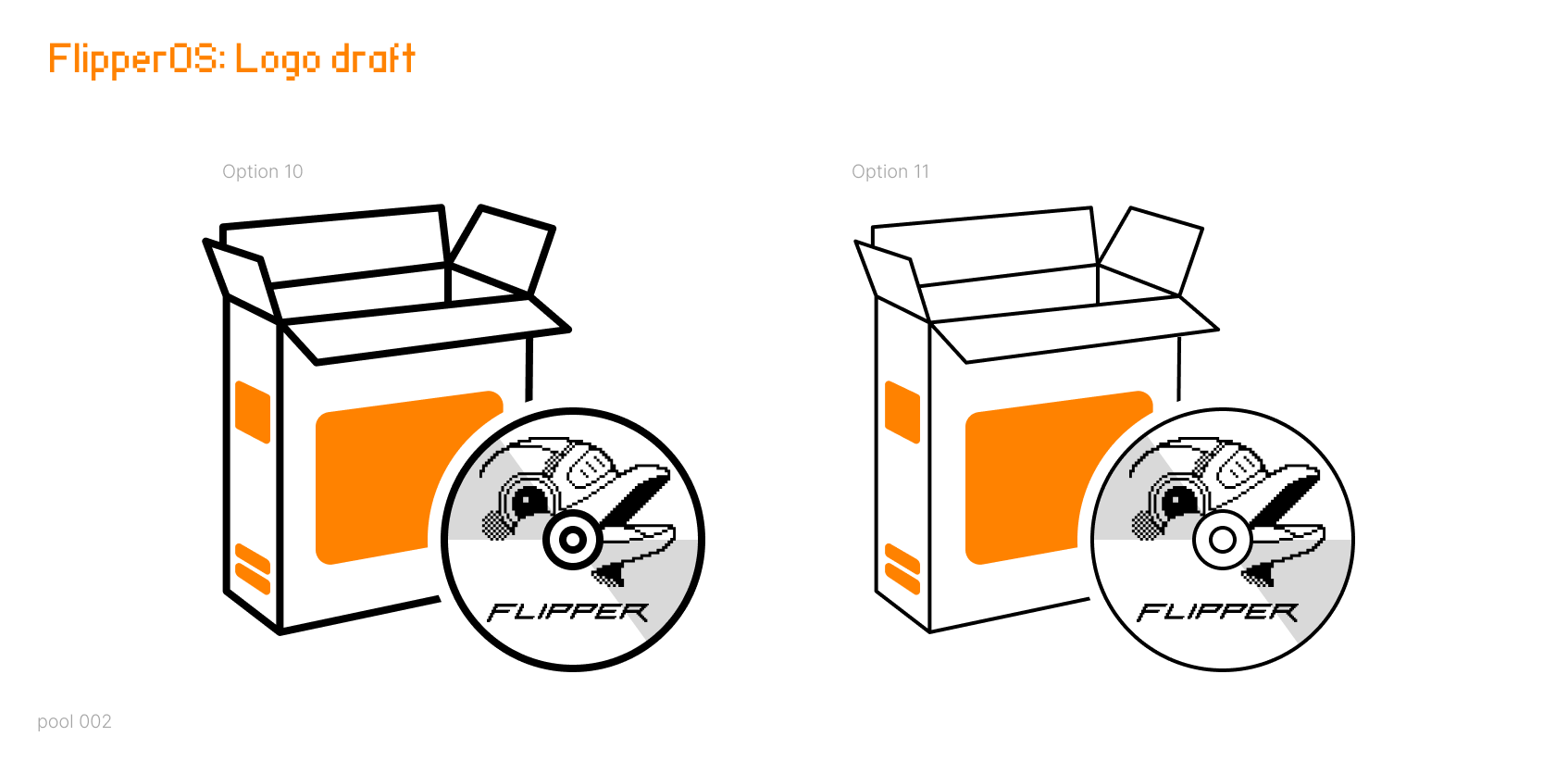
I'm a fan of Raspberry Pi и использую ее в своих проектах, в том числе вожу с собой как travel tactical Linux box. Типичное использование Raspberry Pi OS (ex Raspbian OS) выглядит так: today it's a router, tomorrow it's a TV box, the day after it's a logic analyzer for a debug session. You install dozens of packets, compile some from sources, edit system config, device tree, patch the kernel — and very quicky system превращается is a swamp. There's no clean way to undo it. Roll back to factory? Doesn't exist. Every new project starts with re-flashing the SD card.
<BUBLE DOLPHIN WARHING> Не смотря на то, что мы будем много критиковать продукты Raspberry Pi, мы очень любим и уважаем эту компанию. Во многом их продукты послужили вдохновением для наших, они делают потрясающие штуки и огромный мировой вклад. И именно из-за большой любви мы постоянно все сравниваем с ними
What is Flipper OS?
We want to fix this и перепридумать как люди используют Linux on the go. We're building Flipper OS — a layer on top of a Debian-like base that introduces profiles: full snapshots of the OS with a different preconfigured set of packages and settings. You can boot a profile, clone it, break it, install whatever, and then jump back to a clean copy. Or switch to an entirely different profile for a different use case. No more SD card shuffling.
Honestly: Flipper OS is a massively hard project, and we're not 100% sure how to architect it yet. We're prototyping concepts. We want this to be useful far beyond Flipper One — for cyber-decks builds based on Raspberry Pi, for any portable tactical Linux box. If you've thought about this problem, or built something like it, we want to hear from you: >> read about Flipper OS concept
FlipCTL — a UI framework for tiny screens
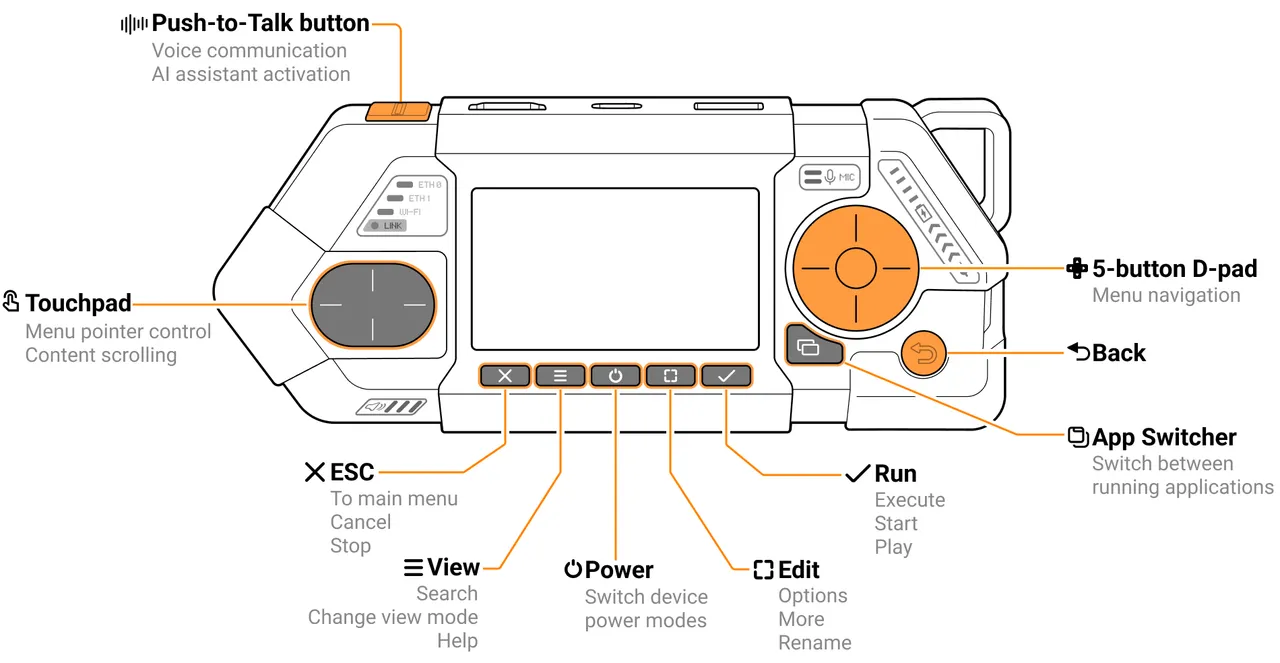
The other half of Flipper OS is FlipCTL. Every "cyberdeck" running Linux runs into the same wall: nobody writes UIs for a small displays. So people end up running a desktop environment KDE, GNOME, whatever — squeezed onto a tiny 7" touchscreen. It's miserable. The strength of Flipper Zero was its menu-based interface on a small LCD, purpose-built for the form factor. Это во много обеспечило его популярно. We want to bring that to Linux multi-tools in general.
FlipCTL is a framework for building menu-based interfaces for small LCD screens, controlled by a D-pad and a few buttons. The idea is to wrap existing Linux command-line tools like ping, nmap, traceroute in clean, navigable UIs that actually make sense on a tiny screen. Our long-term goal: make adding a real HMI (Human–machine interface) to any embedded Linux device as easy as:
apt install flipctl
Routers, NAS boxes, servers, headless boards — anyone bolting on a small screen should be able to grab FlipCTL, write a config, and ship a usable interface without dragging in Qt, GNOME, or X11. We're also planning to release the Flipper One display + button board as a standalone "FlipCTL Control Board" — a peripheral you can plug into anything Linux-based and instantly have a menu-driven interface. Прямо сейчас FlipCTL находится только на уровне концепта и придумывания архитектуры, мы приглашаем всех принять участие >> Read about FlipCTL concept
M.2 expansion modules
Главная идея Flipper One — это расширяемая аппаратная платформа. Каждый сможет сделать из него свой узкоспециализированный мультитул. Поэтому мы добавили в него высокоскоростные M.2 expansion modules, которые устанавливаются внутрь под крышку.
<BUBLE DOLPHIN NOTE> М.2 это общее название форм-фактора плат расширения, но он не определяет реальный интерфейс подключения. Внутри они могут подключаться через разные интерфейсы и иметь разные размеры и типы подключения.
Мы очень старались сделать М.2 порт во флиппер ване максимально универсальным, чтобы можно было подключать почти все виды модулей: Cellular/Satellite Modems, SDR Radios, AI Accelerators SSD Disk (NVME or SATA) WiFi cards (via adapters)
M.2 tech specs
Мы запихнули в M.2 порт максимум возможных интерфейсов и сделали поддержку разных типоразмеров:
- M.2 type:
Key-B - Supported sizes:
2242, 3042, 3052up to D3 class thickness - Interfaces:
PCI Express 2.1 ×1 / USB 3.1 / USB 2.0 / SATA3 / Serial Audio / UART / I2C / SIM card
Полную техническую спецификацию М.2 порта и pinout смотрите в документации >> M.2 Port specification Мы ожидаем, что сообщество и вендоры смогут производить свои M.2 модули для Flipper One, поэтому любые замечания и пожаления приветствуются.
GPIO Modules
Для более простых DIY модулей мы сделали разъем GPIO с привычными 2.54 PLS пинами , но и в этом случае мы постарались сделать так, чтобы устройство можно было носить в сборе с модулем и он не отрывался.
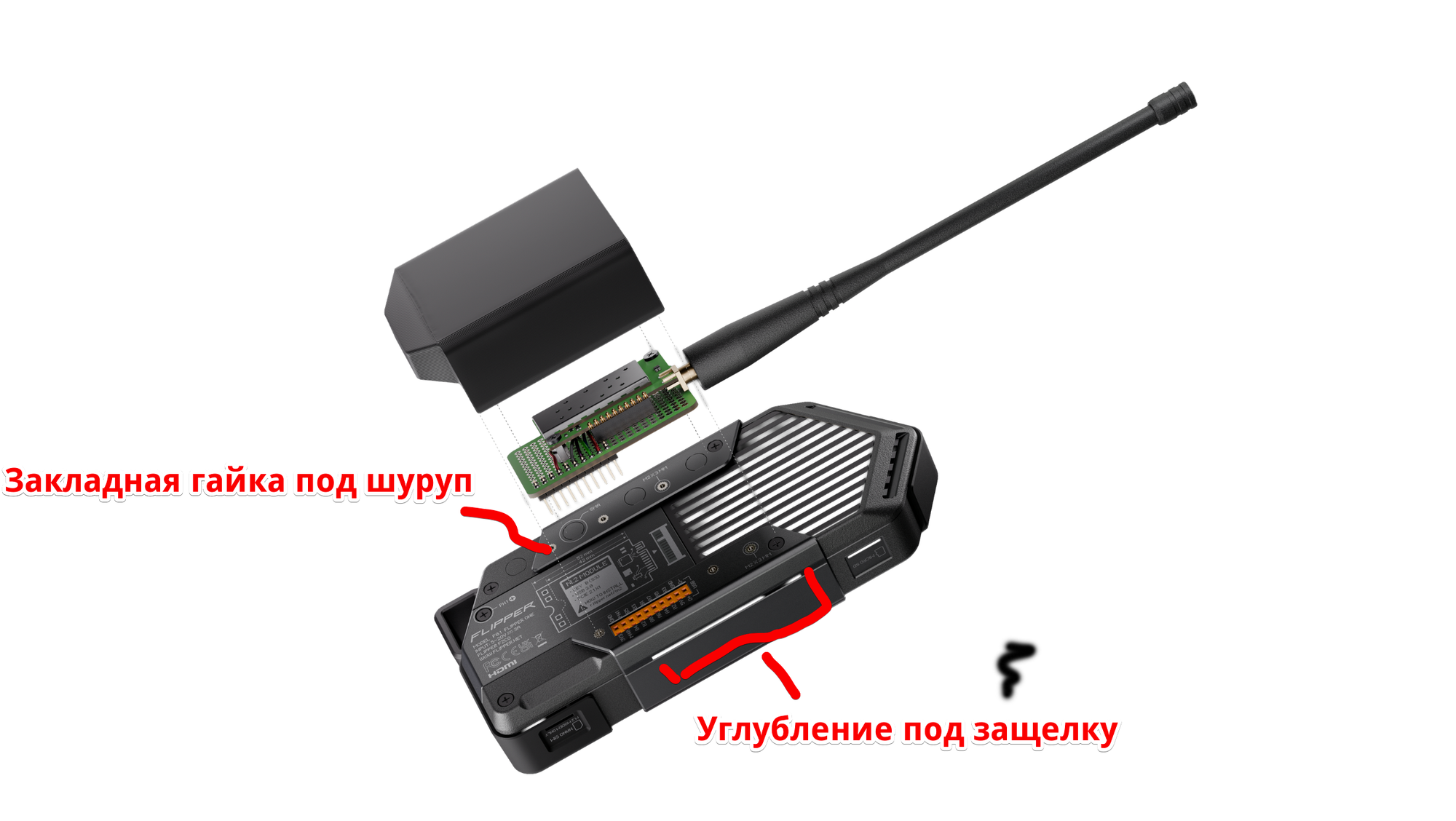
GPIO модули так же имеют свою отдельную систему креплений:
- Закладная гайка — на back plate и antenna rail есть закладные гайки, куда можно зафиксировать плату. Они расположены кратно шагу 2.54, так что можно тупо вырезать ножницами макетную платы, развести на ней модуль и вкрутить в корпус
- Защелки для крышки — на обоих сторонах body есть углубления под защелкивающушуюся защитную крышку, для большей жесткости всей конструкции.
Техническую спецификацию, распиновку и схематику читайте на странице GPIO port а так же смотрите examples of GPIO modules, где можно найти примеры модулей типа Walkie-talke и камеры. Любые ваше замечания и комментарии welcome.
Open modules mechanics
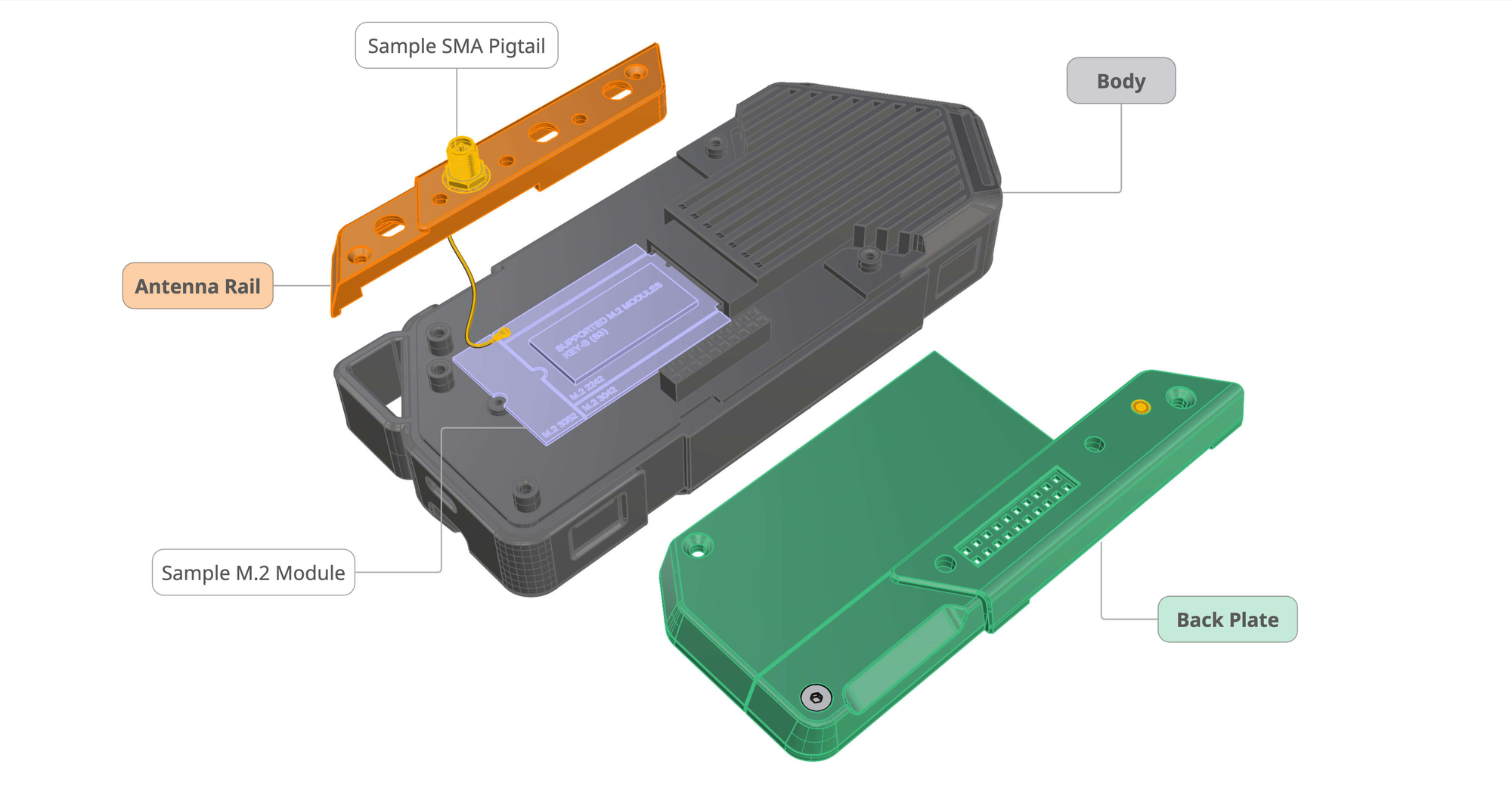
Мы придумали собственную систему креплений для модулей Flipper Onе, которую мы полностью открываем в паблик Она состоит из 3 частей:
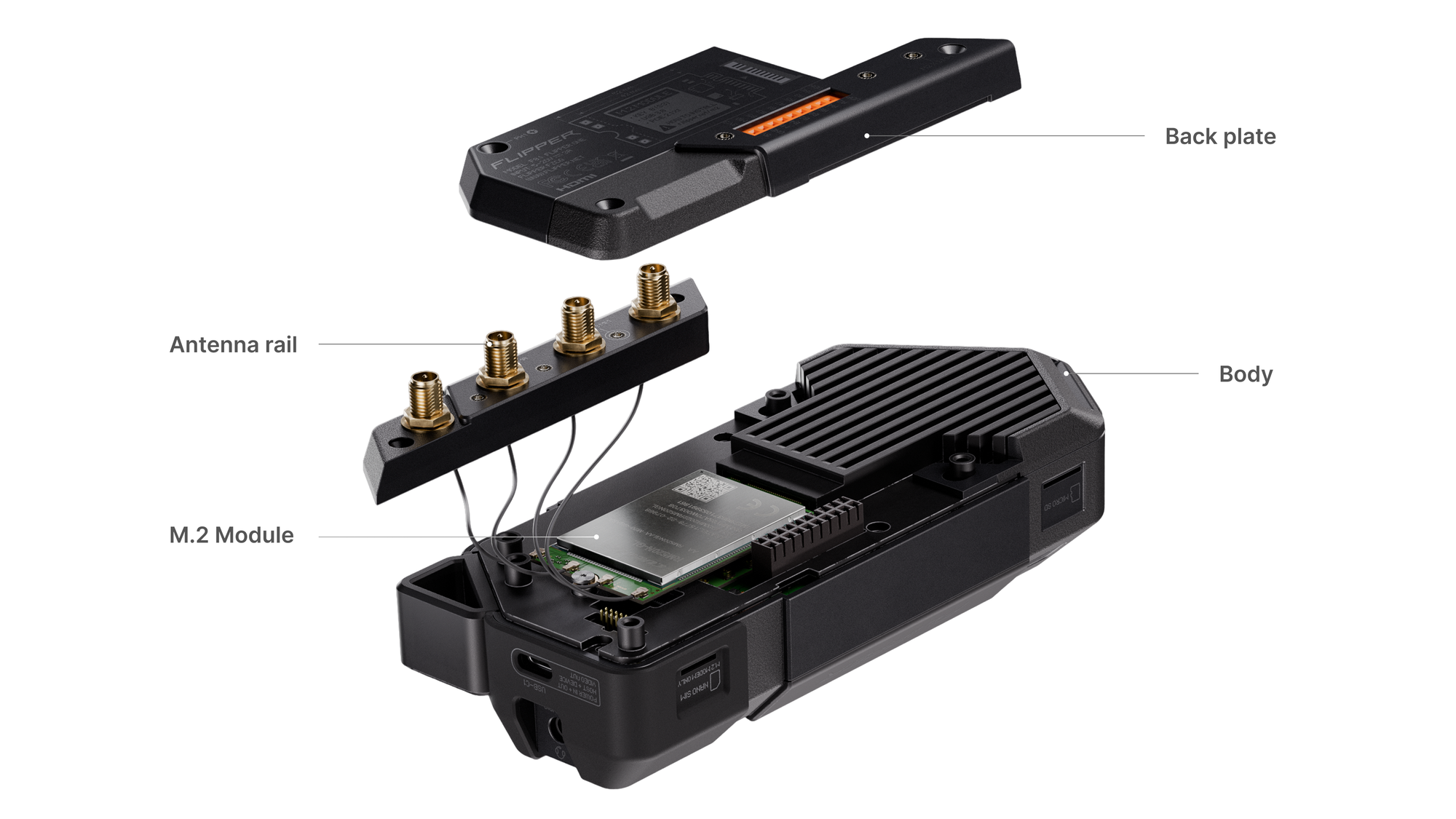
- Body — the main enclosure of the device. M.2 модули вкручиваются в в метеаллическую пластину раидатора, есть 2 гайки, под длину модуля 42mm и 52mm.
- Back plate — the rear cover that provides access to the M.2 expansion port.
This cover is attached to the body with screws and can be interchangeable, with different designs depending on the installed module. - Antenna rail — a separate part used for mounting SMA antennas.
The antenna rail is intentionally separated from the back plate so that antennas can be installed and cables can be routed to the radio module before the back plate is closed. This eliminates the risk of damaging the antenna cables during assembly.
Все эти детали полностью открыты, вы можете скачать их 3D модели уже сегодня >> Read about Mechanics Мы очень ждем комментариев от сообщества и предложения по механическому дизайну модулей.
Network multi-tool
Flipper One is all about connection — a Swiss Army knife for IP networks on all OSI layers. Мы добавили все основные физические интерфейсы подключений, это в сумме five independent network uplinks that you can connect, sniff, bridge, route, or VPN-tunnel between in any combination:
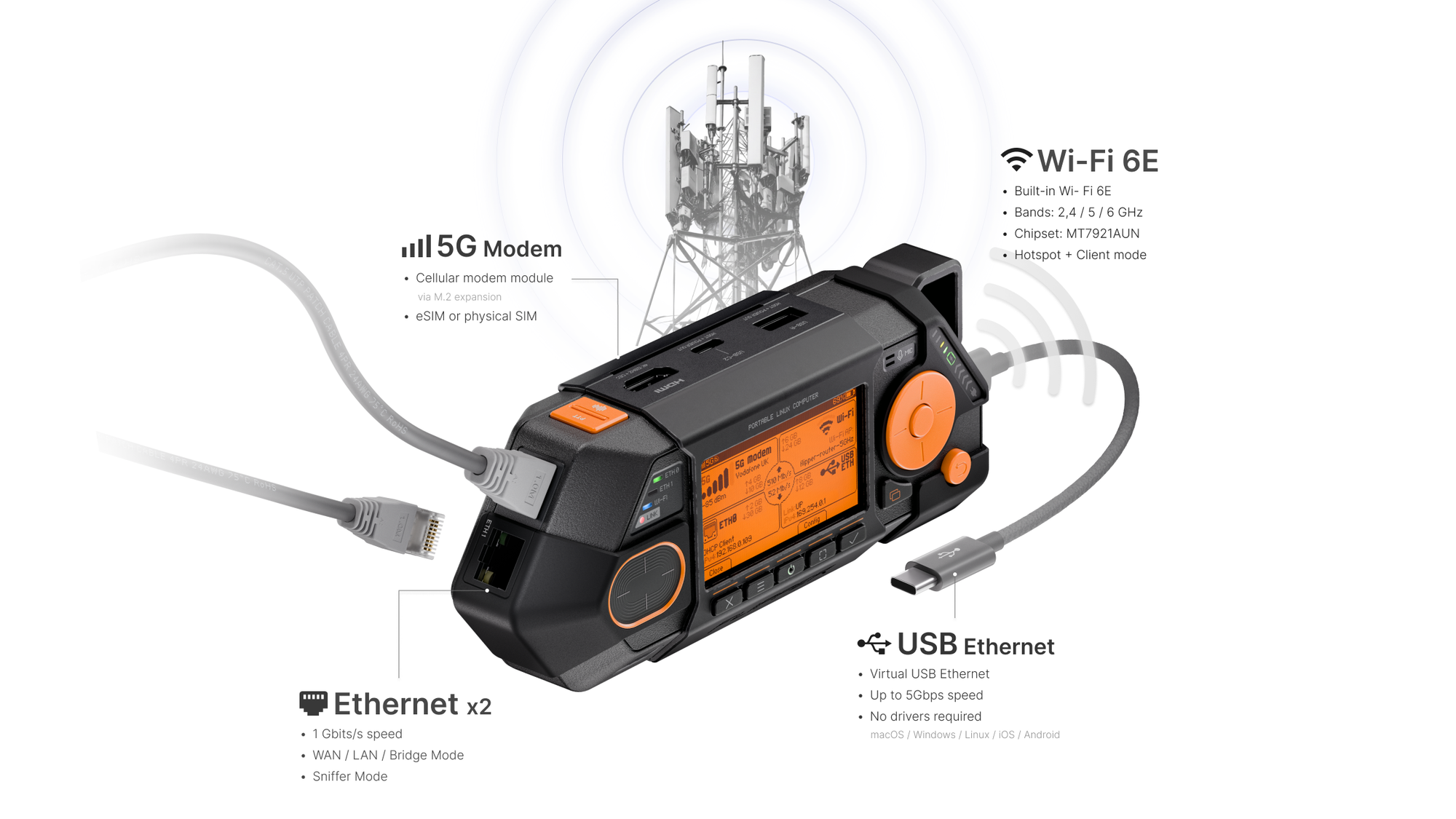
- 2× Gigabit Ethernet — назависимые WAN/LAN, transparent bridge, MITM sniffer, etc. Скорость каждого интерфейса 1Gbit/s
- Wi-Fi 6E — 802.11ax based on
MT7921AUNchipset, support monitor mode. Frequencies 2.4 / 5 / 6 GHz, can run as Wi-Fi client (STA) and hotstop (AP) - Cellular modem — 5G or LTE modem via the M.2 expansion module с возможностью подключения внешних антенн. Поддерживает физическую Nano SIM (4FF) и eSIM
- USB Ethernet — up to 5.Gbps emulated over USB-C, so you connect your laptop or smartphone via USB cable adding an extra network interface. Works via USB-CDC NCM so no drivers required.
Out of the box Flipper One может работать gateway в любые сети, a multi-hotspot bridge, an inline Ethernet sniffer, a USB Wi-Fi/Ethernet adapter for a PC or smartphone — or any combination, to dynamically routed and load-balanced, and failower-balancing. We're describing these as user-story-driven features in the Features list
Advanced built-in Wi-Fi
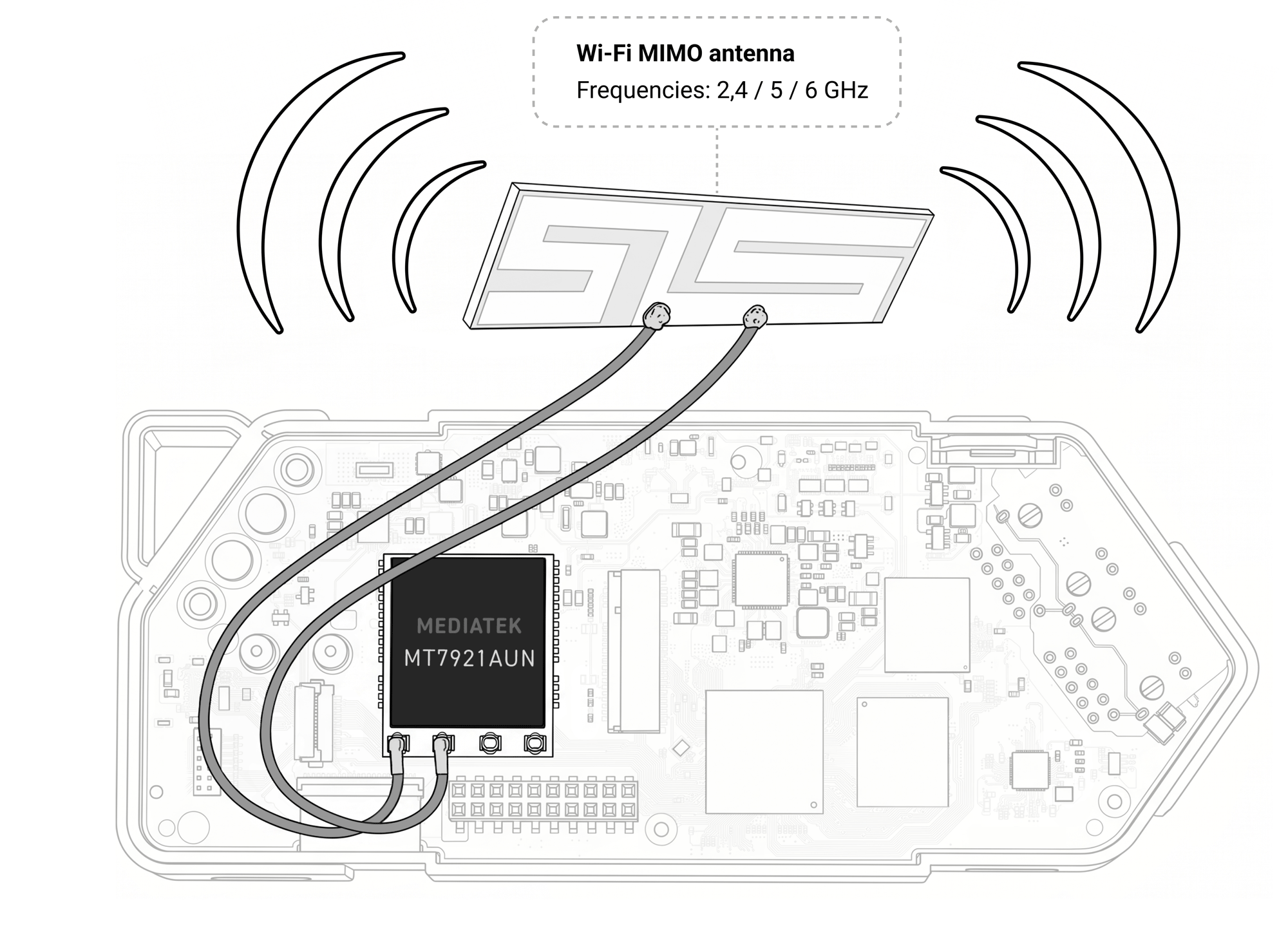
We want to build the most versatile integrated Wi-Fi into Flipper One — it needs to support all the features required for Wi-Fi network analysis, including monitor mode and packet injection. For now, we've settled on the popular Mediatek MT7921U chipset. It's modern enough, supports three frequency bands, and ticks just about every box. Так же он поддерживается открытым драйвером в мейнлайн ядре. We're actively testing this chip right now and we'd love you to join in.
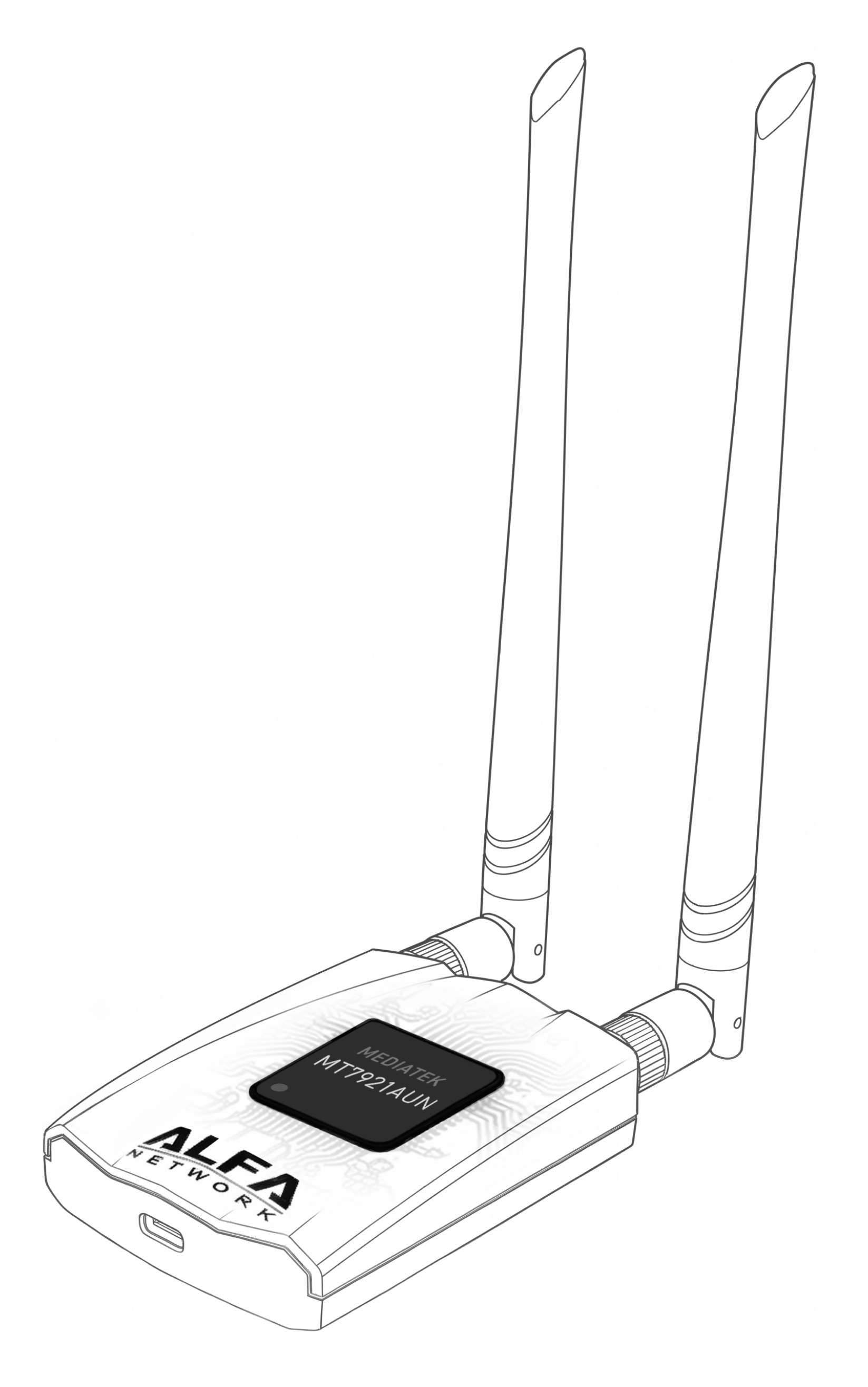
Same as Alfa AWUS036AXML
Well known USB Wi‑Fi adapter that uses the MediaTek MT7921AUN chipset is the Alfa AWUS036AXML, known for its good driver support and compatibility with wardriving tools. Вокруг этой WiFi карточки есть большое сообщество, but we want to be sure it actually behaves the way our users will need it to.
If you're into wireless work — auditing, monitoring, injection, mesh, anything, we invite you yo come test it with us: read the >> Wi-Fi Testing page on the Developer Portal and help us decide whether this chipset is the right call, or whether we should look elsewhere before we lock in the design.
Satellite NTN modem
Существует технология спутников связи NTN (Non-Terrestrial Networks) — это низкоскоростная связь для всяких IoT, standardized by 3GPP as part of 5G and LTE specifications. It uses the standard cellular stack, including SIM/eSIM authentication, roaming, and regular IP traffic.
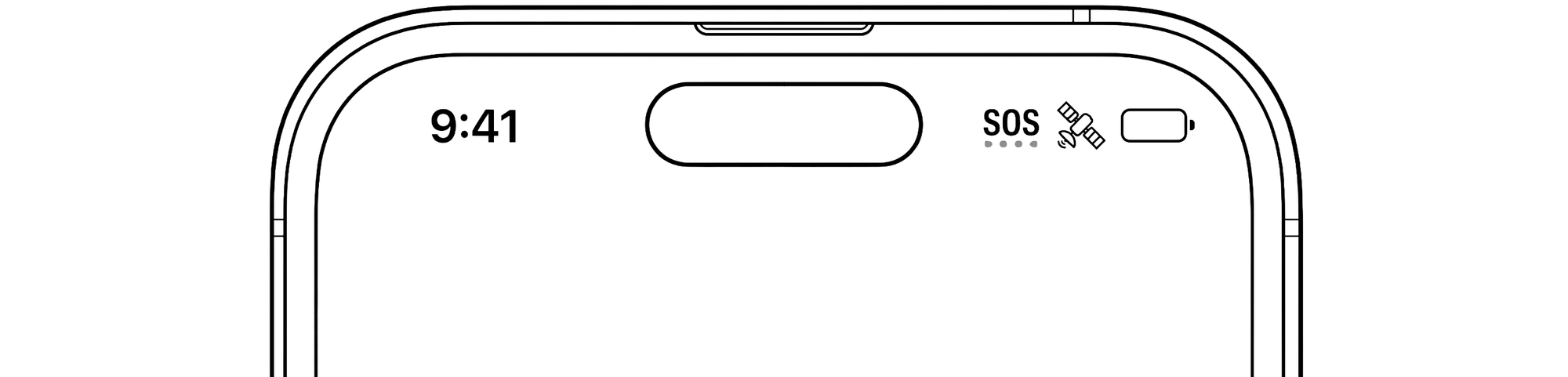
Этот тип связи используется в новых телефонах вроде iPhone / Samsung, когда не ловит сотовая сеть для отправки Emergncy SOS сообщений. Сейчас эта технология используется чаще всего в экспериментальном режиме.
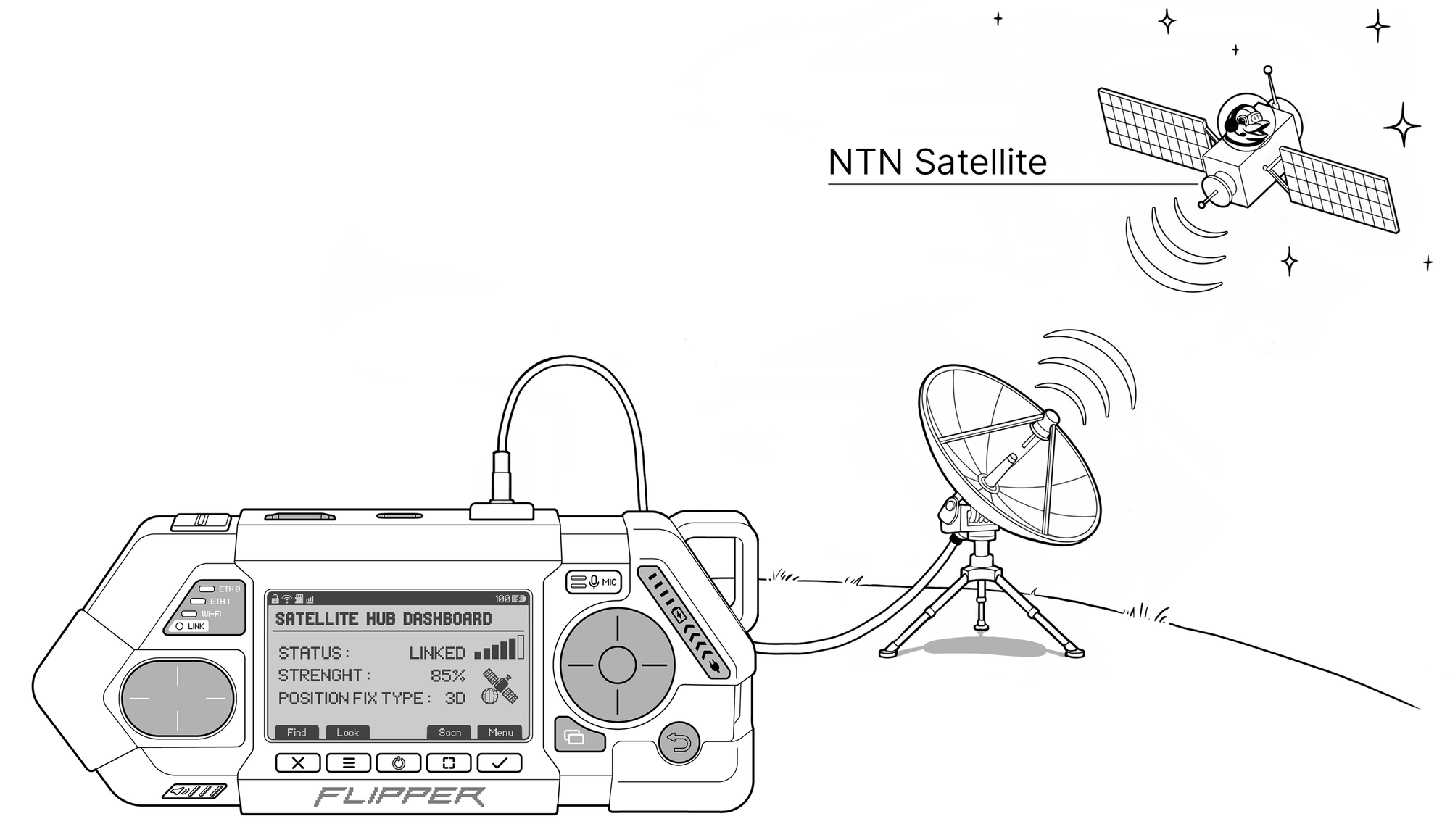
Мы хотим добавить поддержку NTN спутниковой связи во Flipper One, чтобы популяризовать эту технологию и дать инженерам и энтузиастам возможность поработать с реальной спутниковой инфраструктурой. Для этого мы ищем компанию партнера вроде Skylo, которая готова поработать с нами и добавить поддержку своей спутниковой сети в наш eSIM модуль а так же помощь выбрать конкретный NTN M.2 модуль, который бы могли официально поддерживать. Подробно читайте на странице Modules -> Satellite modem
Offline Flipper LLM
Куда же без AI в наше время. Естественно к Flipper One можно будет подключать любые внешние AI-агенты через интеграции. Но что делать когда интернета нет и нужна помощь чтобы его добыть?
Благодаря встроенному AI-акселератору, Flipper One может запускать небольшие LLM модели локально без интернета и помогать юзеру пользоваться устройством, генерировать конфиги и давать подсказки.
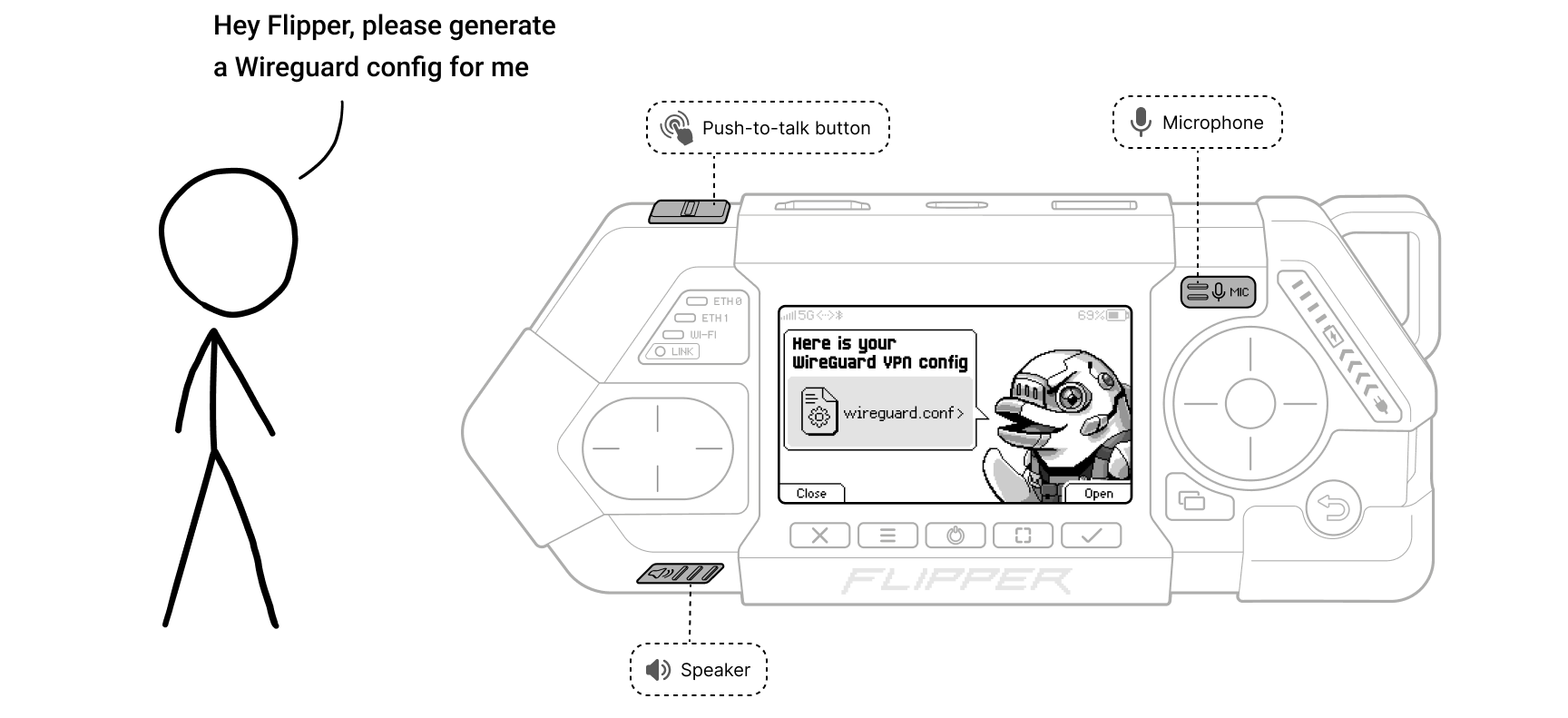
Мы хотим натрировать специальную LLM модель, которая будет в совершенстве знать именно внутреннее устройство Flipper One и его приложения, поэтому нам не подойдут модели общие модели. Мы приглашаем сообщество поучаствовать в этом >> Read about Flipper LLM.
Так же в данный момент наш NPU модуль не поддерживается в мейнлайн ядре и его поддержку предстоит добавить >> Read about RK3576 NPU support in mainline Linux and Mesa.
Survival Desktop
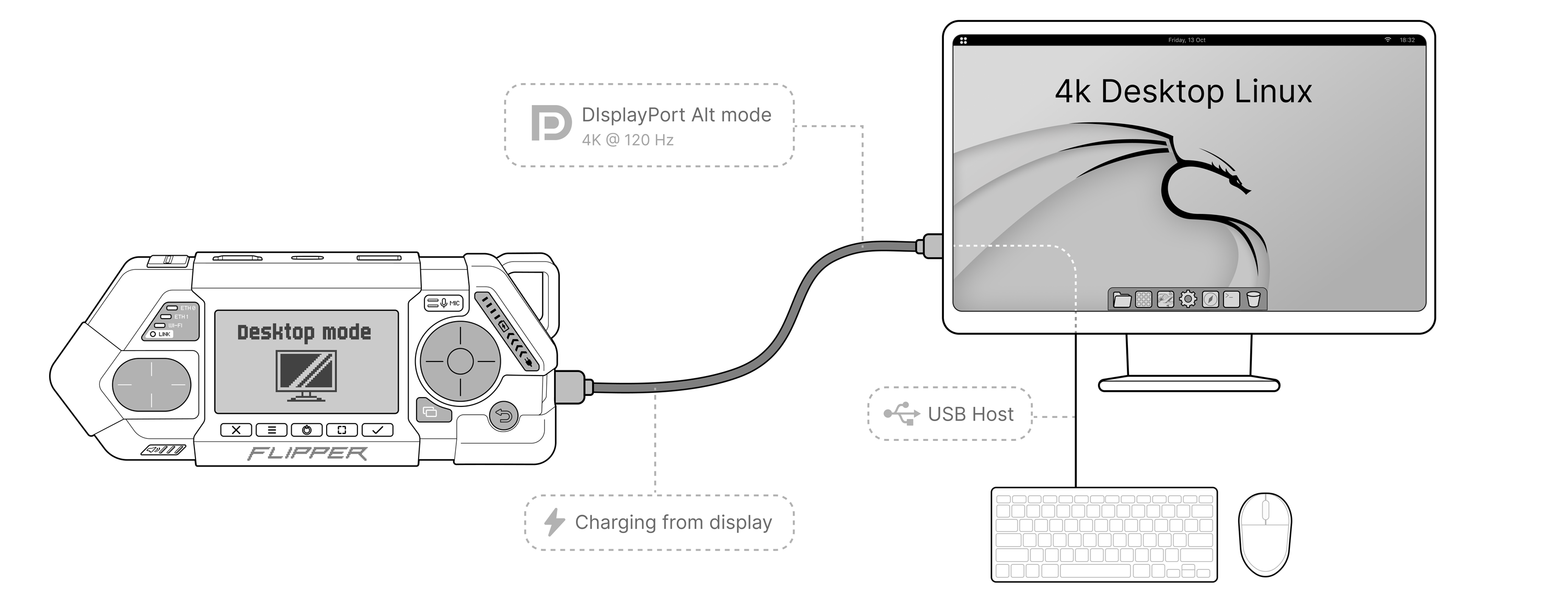
Flipper One можно использовать как survival Desktop или тонкий клиент, который всегда с собой. Plug it into a monitor with a single USB-C cable and you've got a real desktop on the go. Багодаря поддержка USB-C DisplayPort Alt Mode, флиппер ван может по одному кабеля одновременно и заряжаться, выдавать картинку на монитор и подключать USB переферию. Производительность нашего процессора сравнима с Raspberry Pi 5, так что вполне можно browsing и делать light dev work.
Текущие челенджи desktop режима:
- USB-C DisplayPort Alt Mode is a brutal set of protocols. We're fighting signal integrity issues, also different monitors behave differently, and getting a sustainable connection is hard. Кроме этого, поддержка DP Alt mode еще не полностью реализована в мейнлайн ядре. Ссылка на коммиты коллаборы?
- Hardware video decoding — да данный момент еще не реализована поддержка в мейнлайн ядре, поэтому чтобы воспроизведение видео не тормозило, нам нужно добавить h264/hevc hardware video decoding support
- What desktop environment to choose? — KDE Plasma is one candidate, but maybe there's a leaner tiling WM that fits Flipper One better? We want a clean, fast, no-bloatware desktop that works out of the box. Тем более, что это тот редкий момент, когда Linux desktop поставляется вместе с железом и каждую деталь можно отполировать до идеального состояние. If you have strong opinions, this is your moment.
Hacker's TV media box
Я устал что все ТВ интертеймент системы говно, и поэтому я вожу с собой свою ТВ-приставку и подключаю ее во всех отелях и квартирах AirBnb. Но я до сих пор не нашел идеальной ТВ приставки, в которой не было бы ограничений и копроммисов, поэтому пришлось делать свою
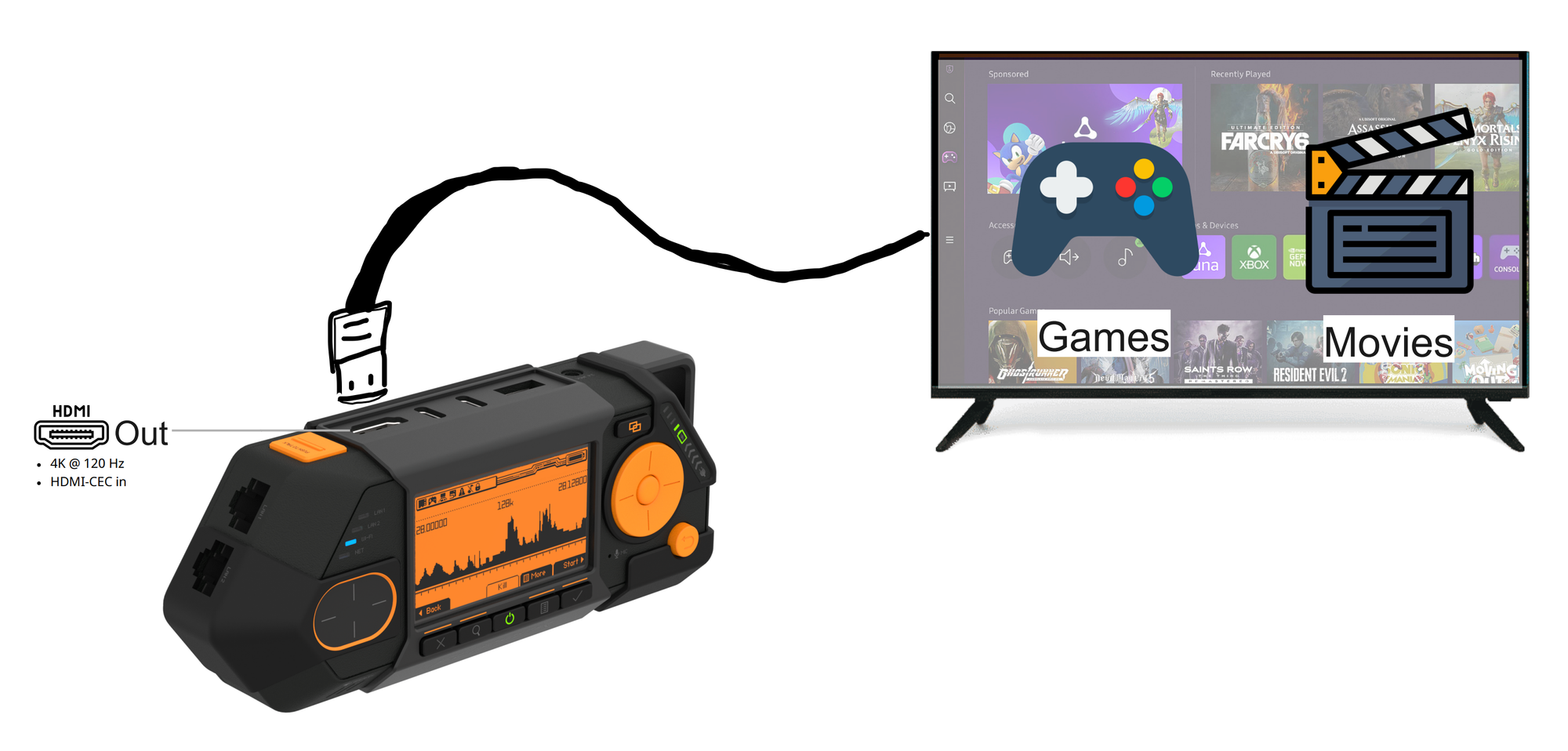
We специально put a full-size HDMI во Flipper One, потому что все эти ебаные Mini, Micro HDMI порты pain in the ass (прости Raspberry Pi) и в нужный момент под рукой никогда нет нужного кабеля. И хотя HDMI порт проприетарный и требует лицензионных отчислений, мы все равно решили на это пойти, чтобы не ебать людям мозги с переходниками.
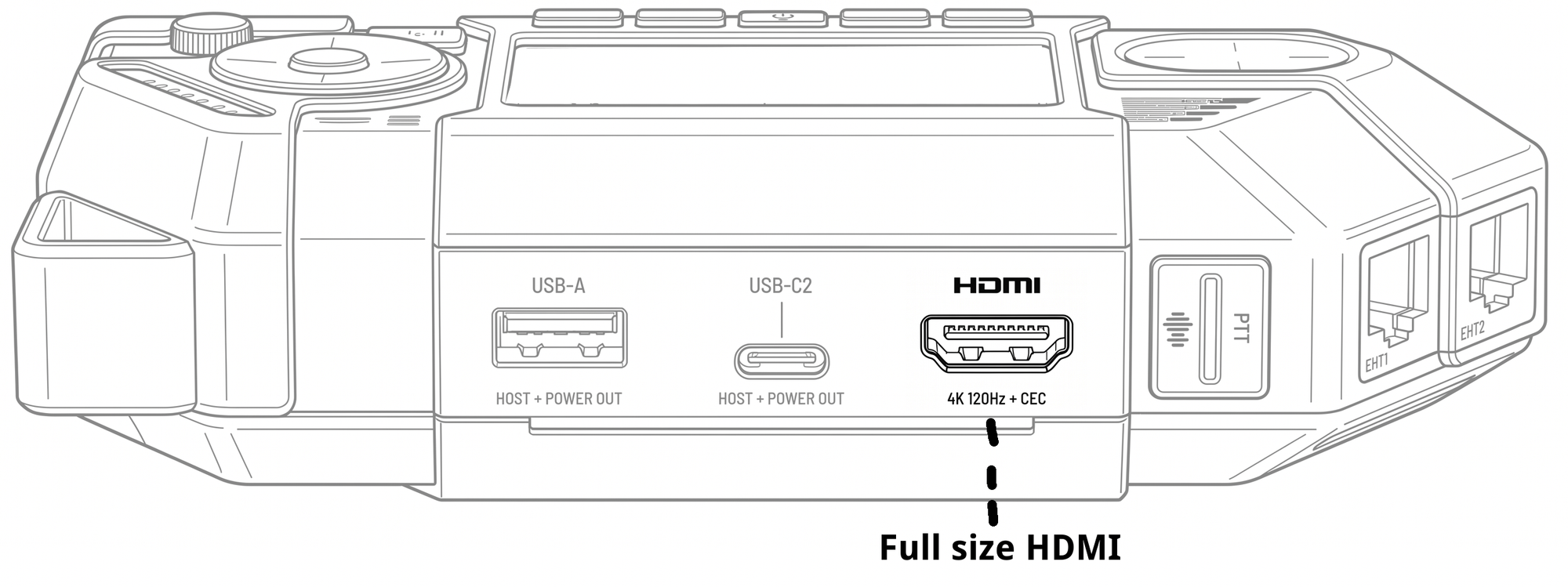
- Full size HDMI 2.1 port — никаких переходников, только нормальный полноценнный разъем
- 4K @ 120Hz — нормальное разрешение и рефреш рейт в 120 Hz позволяет использовать HDMI выход подключения монитора в десктоп режиме
- CEC Support —технология CEC (Consumer Electronics Control) позволяет проксировать команды от оригинального пульта телевизора медиа приставку. То есть можно управлять медиа оболочкой прямо с родного пульта без отдельной мышки и клавиатуры.
Afterword
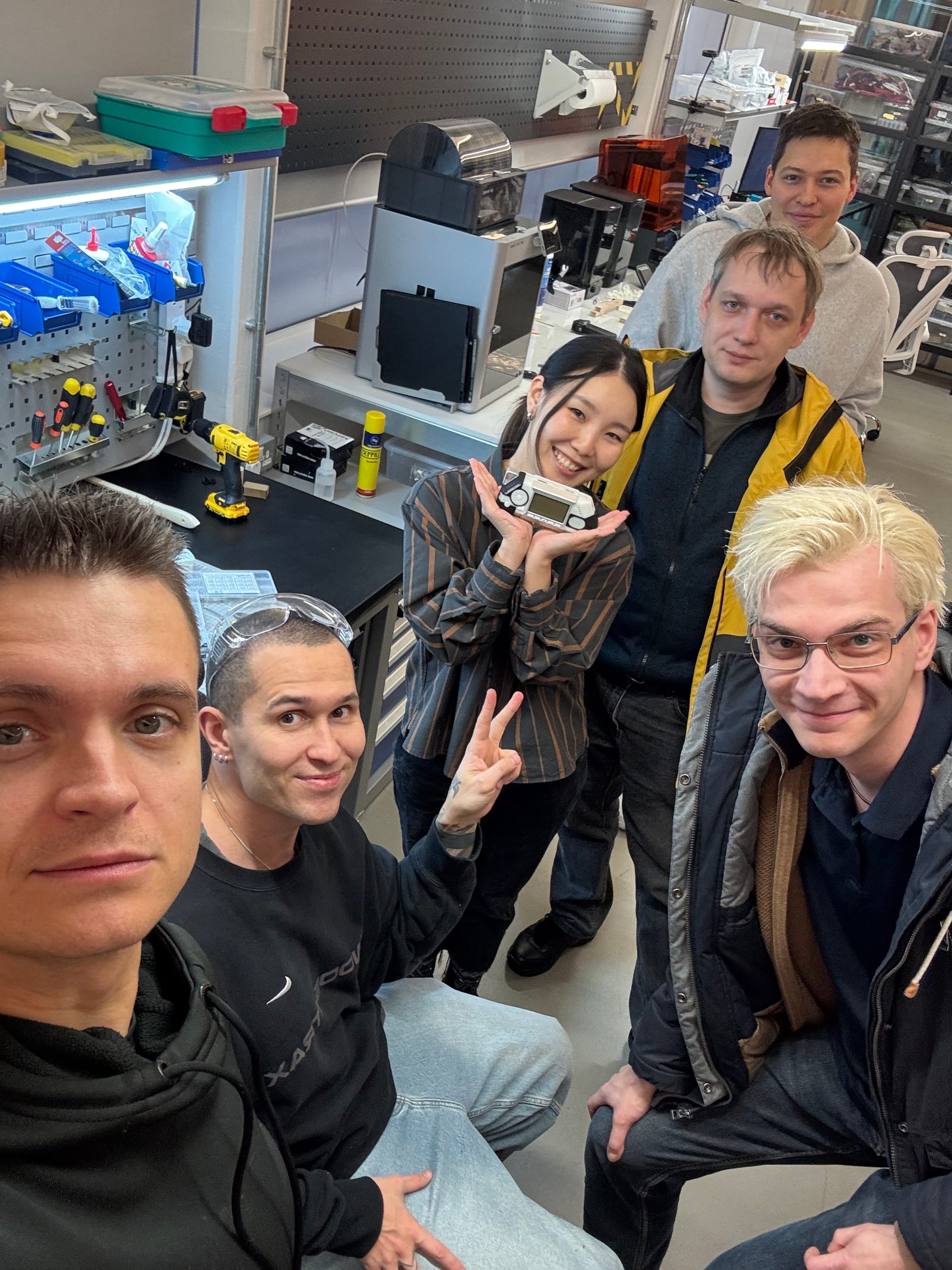
Наш опыт с Flipper Zero показал, что искреняя страсть и любовь, к тому что делаешь, способна давать удивительные результаты. Сейчас на руках людей всего около 1 миллиона Flipper Zero, и это невероятно! Мы создали огромное сообщество вокруг него и подтолкнули людей изучать новые технологии а вендоров делать более безопасные и понятные продукты.
The new Flipper One это очень личный проект. Я думал над концепцией карманного Linux-мультитула последние 10 лет, но все это время я считал существующие технологии и компонентную базу неподходящей, а для меня было важно выпустить продукт без компромиссов, который будет действительно стоящий. И вот сейчас, как будто, подходящий момент.
В этом проекте много неопределенности, технических сложностей и экономических рисков (например текущий RAM chip crisis). Я не знаю получится ли у нас сделать все что мы задумали, но мы будем стараться из-зо всех сил. Спасибо всем и приглашаю вас в новое приключение.
— Pavel Zhovner & Flipper Devices team
Links
The Flipper Devices team is small. The project is large. We can't do this without you. Here's how to get involved:
- Flipper One Developer Portal — the entry point into every sub-project. Browse sub-projects, find tasks tagged `help wanted`, read the contribution guides.
Whether you're a kernel hacker, a PCB designer, a UI designer, a packaging maintainer, a Linux veteran, or just an enthusiastic user with strong opinions about menu navigation — there's a place for you here. - твиттер — project updates and announcements.
- 📬 Weekly digest — a developer-focused, deeply technical newsletter with where we're stuck, what we're working on, and where we need help. Sign up here